
Give Your Vendors a Secure Front Door to Business Central
GovCon365 Vendor Portal: a secure supplier portal for self-service onboarding, invoicing, and payments on Microsoft Dynamics 365 Business Central.
GovCon365 Vendor Portal
Vendor Portal Core Capabilities
One Portal for the Entire Vendor Lifecycle
Your vendors get answers on their own. Your AP team gets its time back. And Business Central stays your single source of truth.

Sound Familiar?
Most government contractors still manage vendors and suppliers through email and phone calls. It works, until it doesn’t.
- Invoices arrive as PDF attachments. Someone keys them in by hand, and mistakes creep in.
- Vendors call and email AP to ask, “Did you get my invoice?” and “When will I be paid?”
- Bank account changes come in by email. That is a fraud risk no one can afford.
- Onboarding drags on. W-9s, insurance certificates, and SAM.gov checks get chased one email at a time.
- Compliance papers go stale. Expired insurance and missing tax forms show up at audit time.
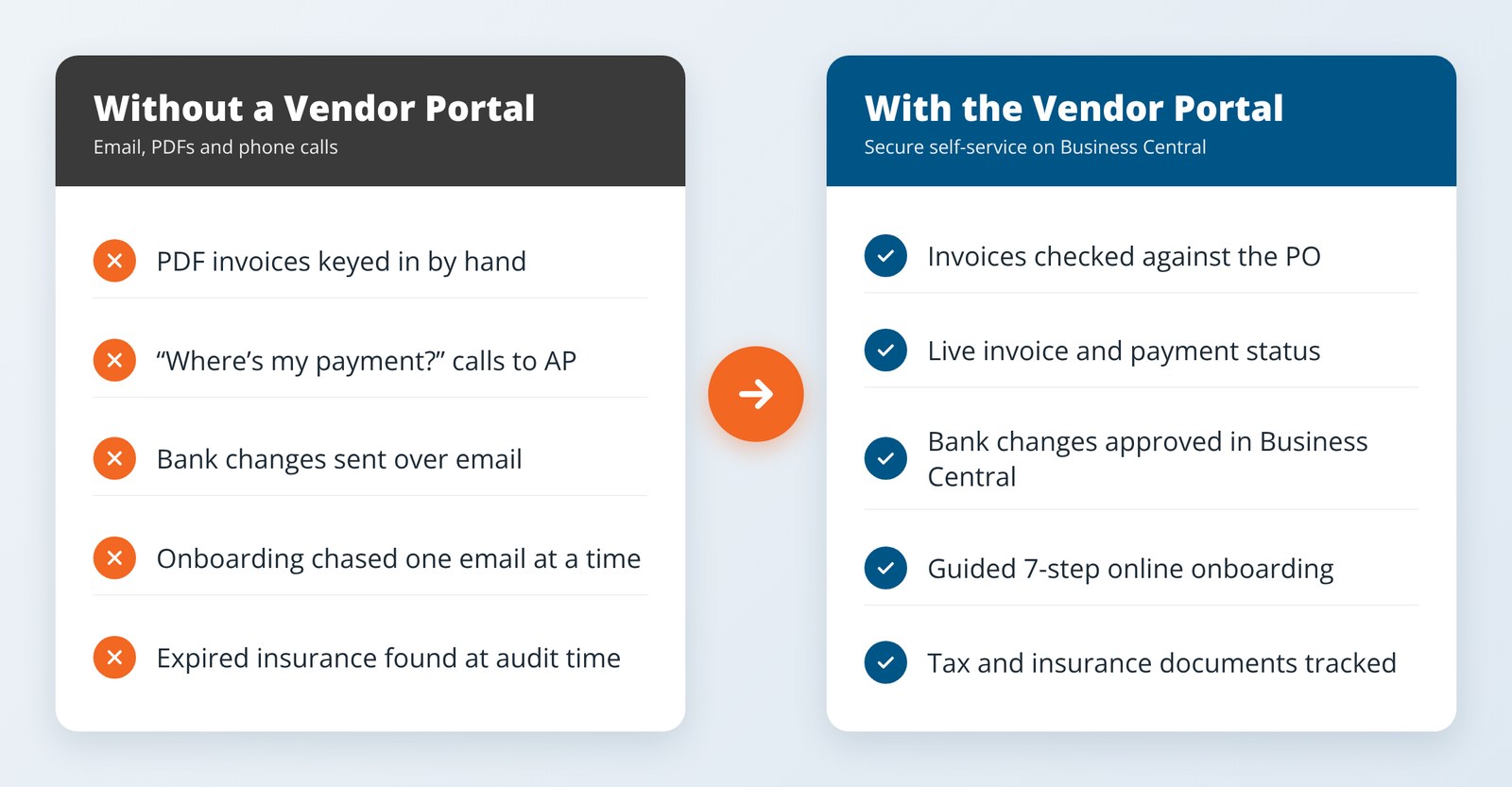
The GovCon365 Vendor Portal replaces that back-and-forth with one secure place where vendors help themselves. And every sensitive change still goes through your approvals in Business Central.
Vendor Onboarding Without the Email Chase
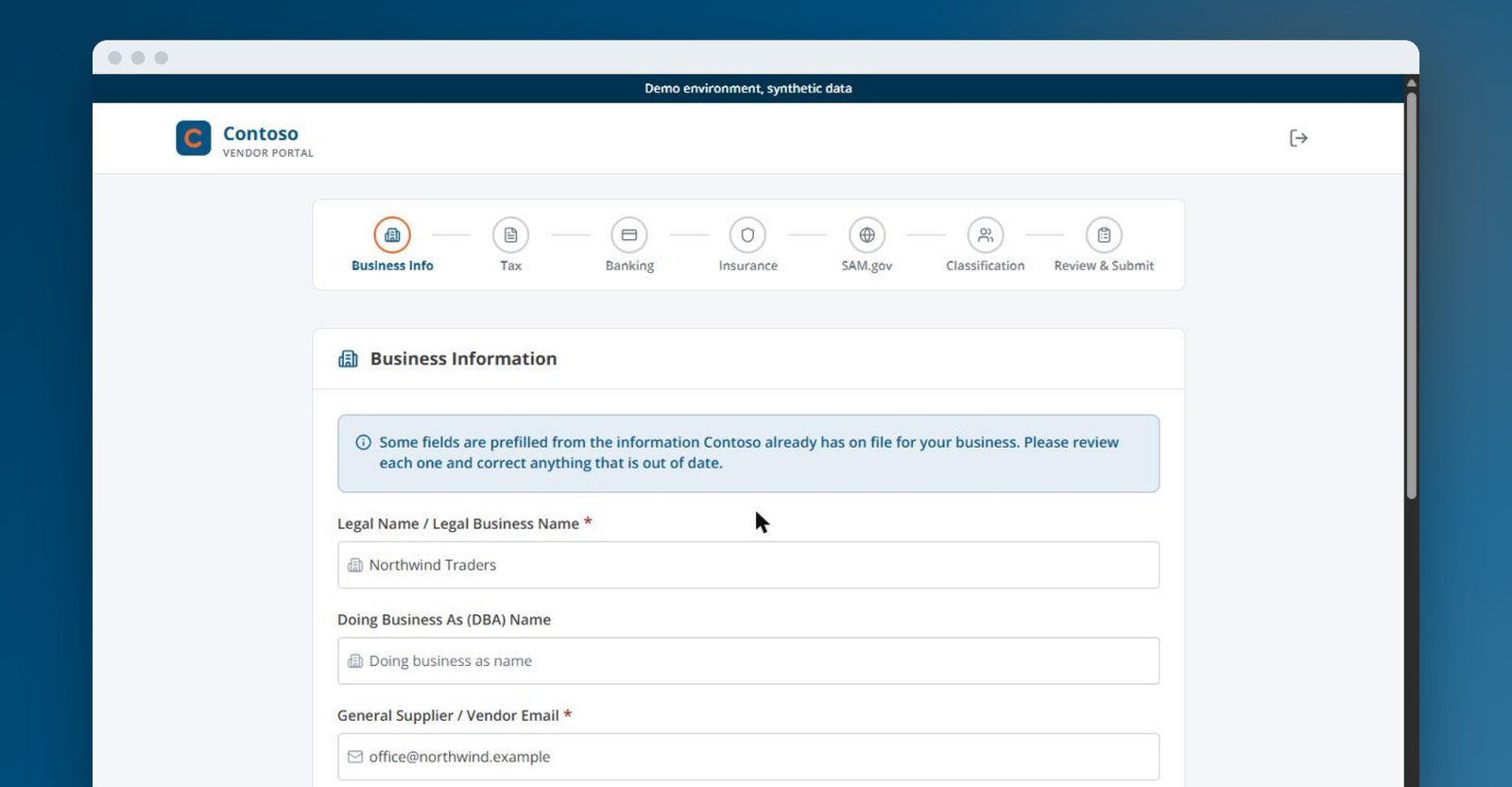
New vendors get a secure invitation they can verify before they sign in. A guided 7-step application then walks them through business info, tax forms (W-9 or W-8BEN), banking and ACH, insurance, a live SAM.gov lookup, and FAR 52.219-1 small business classification. Each step saves as a draft, so they can stop and come back. Existing vendors see their record already filled in.
Why it matters: You get complete, checked vendor records from day one, not a folder of half-finished emails.
Invoices That Match the PO the First Time
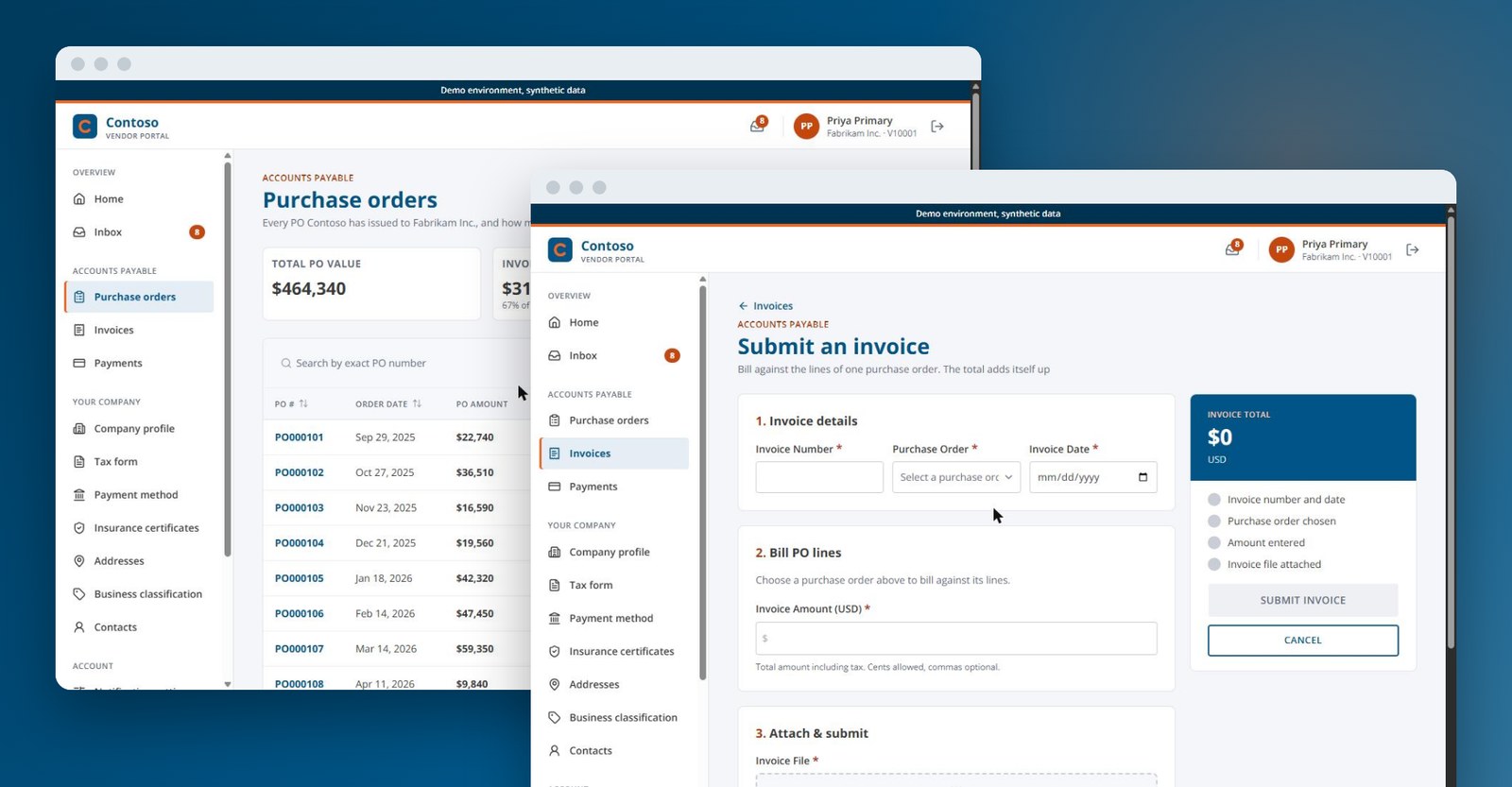
Vendors see their open purchase orders, including the ceiling, the amount invoiced so far, and what is left. When they submit an invoice against a PO, the portal checks it against the ceiling as they go. They drag and drop the file and mark the final invoice. Invoices without a PO are allowed too, with a clear acknowledgment.
Why it matters: Fewer exceptions, fewer over-ceiling surprises, and less rework for AP.
Payment Status Without the Phone Calls
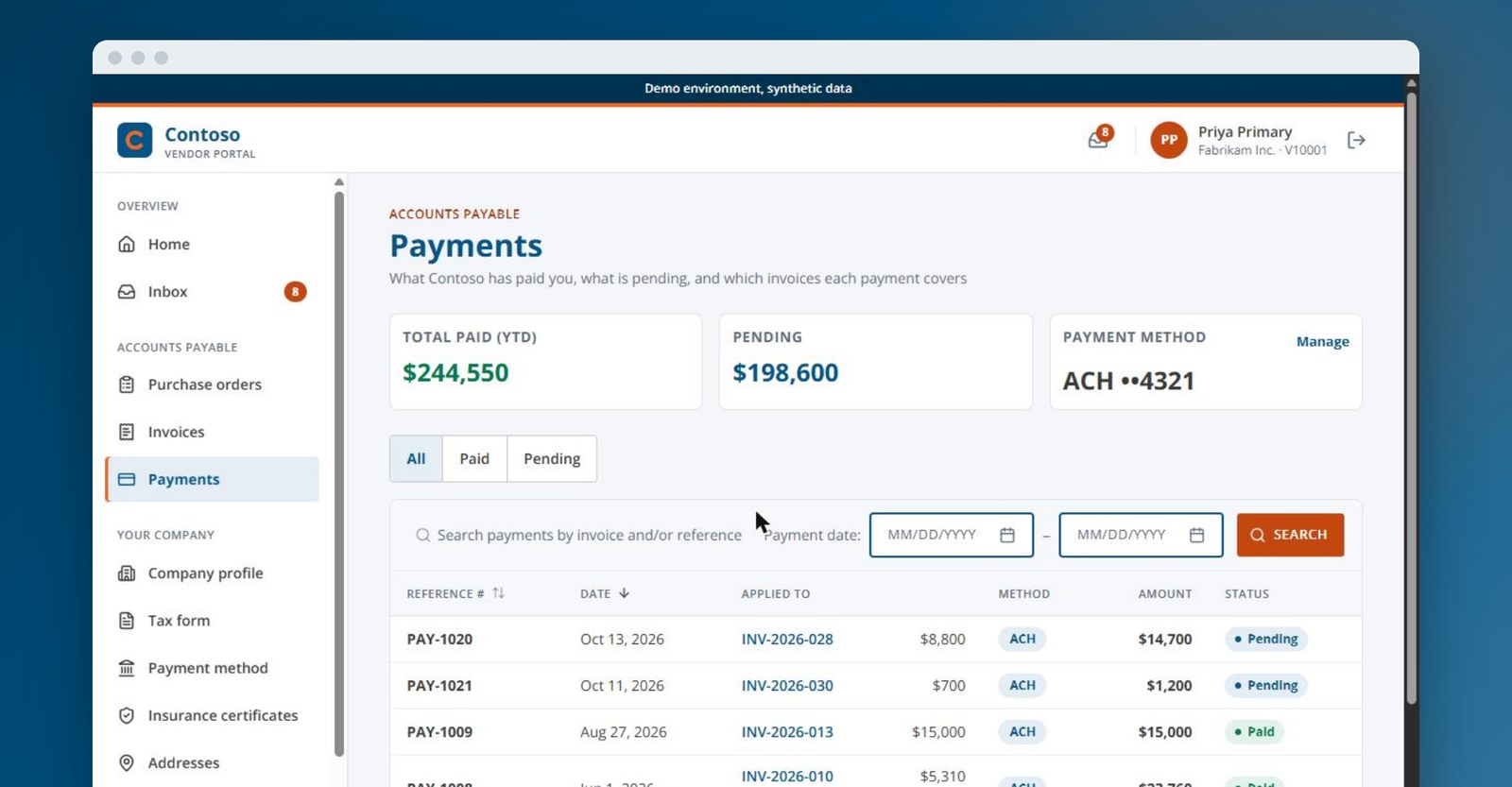
Vendors follow each invoice from In Process to Approved to Paid. They see payment history straight from Business Central vendor ledger entries, plus year-to-date paid and pending totals. ACH and check payments are both shown, and batch payments open up to the invoices they cover.
Why it matters: “Where’s my payment?” gets answered before anyone picks up the phone.
Compliance That Stays Current
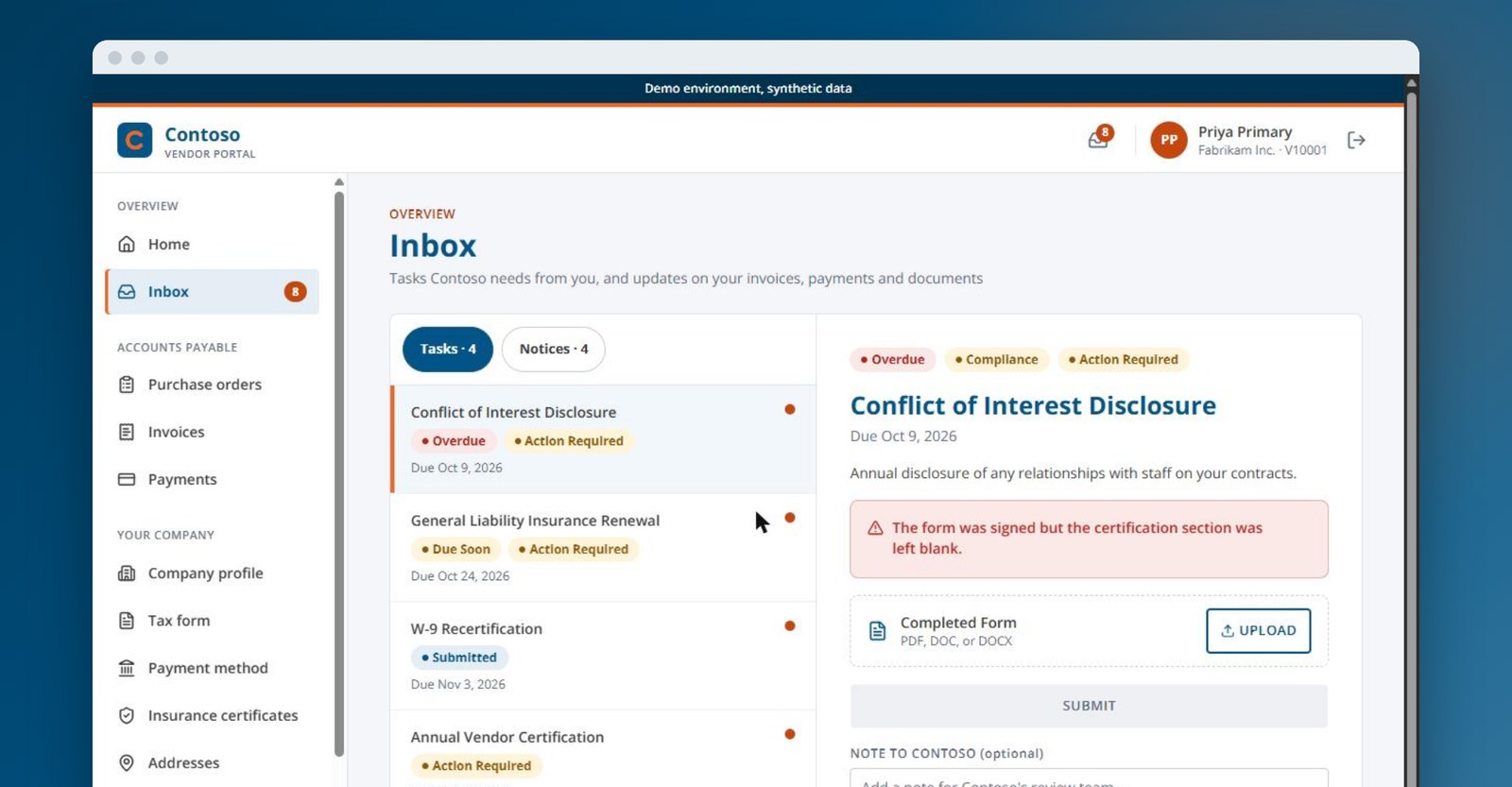
Assign compliance tasks to vendors and track each one from Received to Approved. Vendors upload W-9 and W-8 forms and insurance certificates, and every version is kept. Your staff records expiration dates, which drive renewal reminders. A vendor can even send its insurance broker a secure, single-use link to upload a certificate. No portal account is needed.
Why it matters: You stay audit-ready without chasing paperwork.
Vendors Keep Their Own Records Up to Date
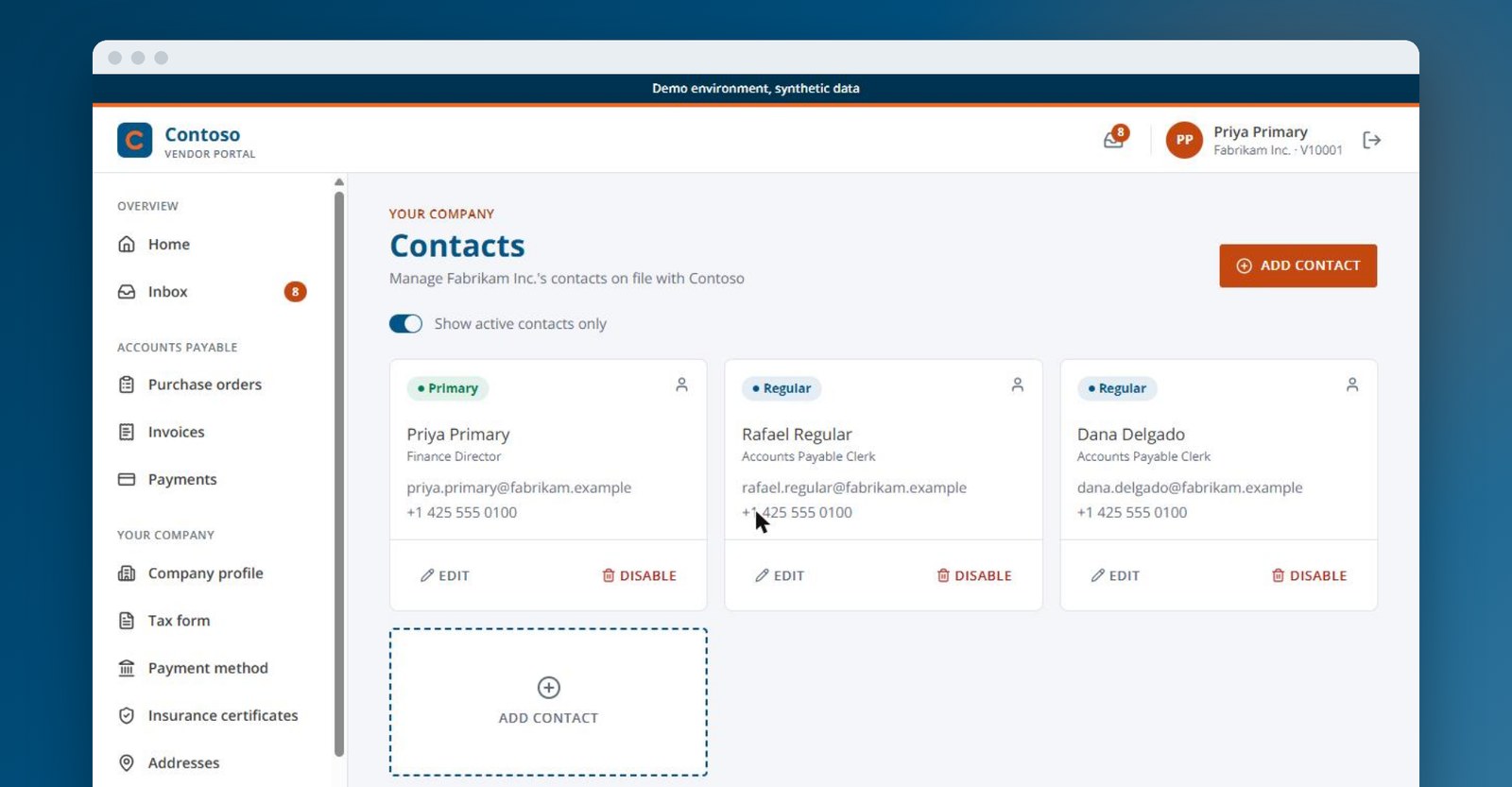
Vendors manage their own users, contacts, and addresses, including where payments should go. They can update business size and diversity certifications as things change, with a full history. Bank and tax changes still route through your Business Central approval workflow before they take effect.
Why it matters: Your vendor records stay accurate, and your team stays in control of what matters most.
One Admin Console for Your Team
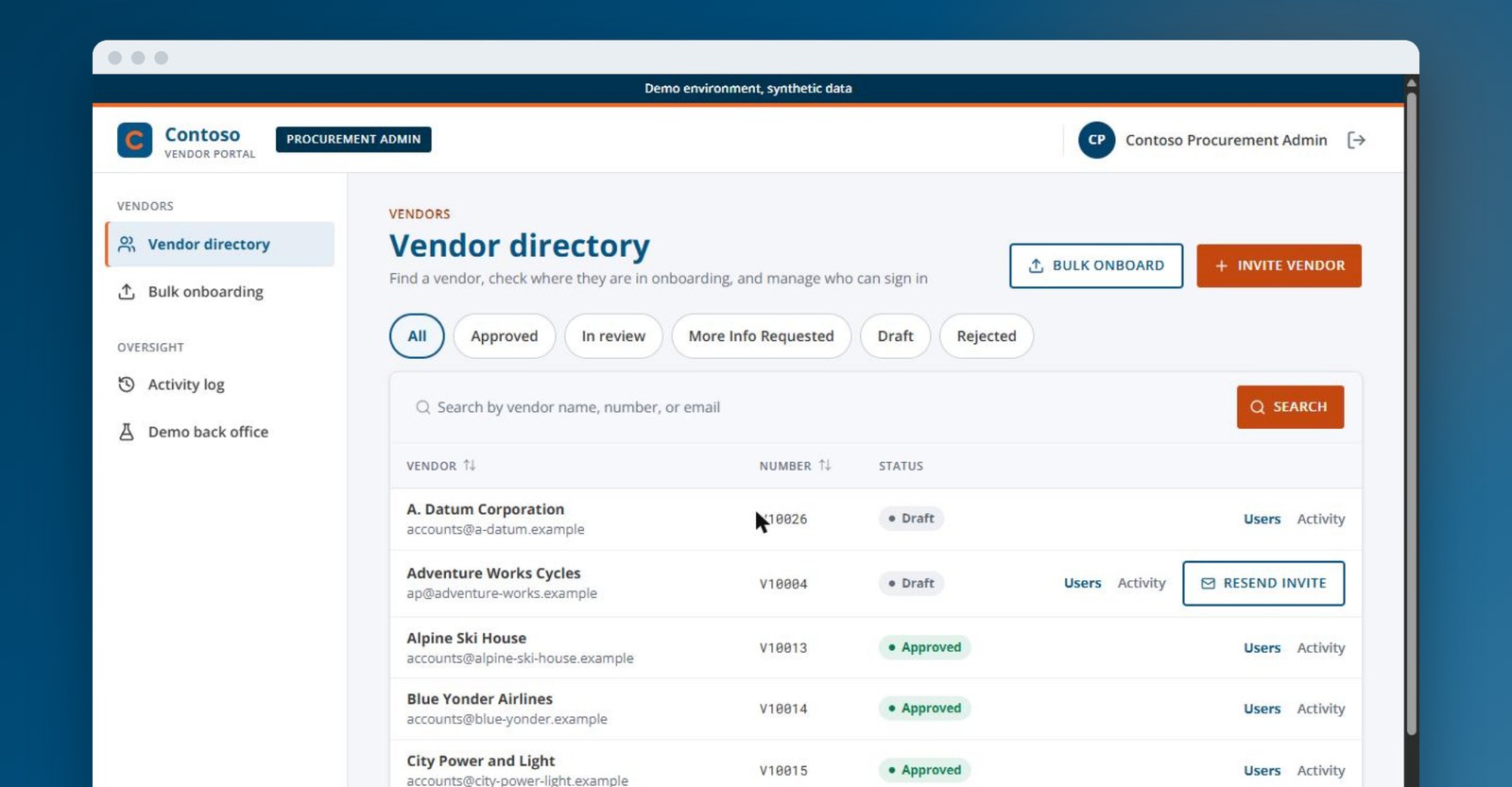
Your staff sees every vendor in one list and can filter by status: Active, Invited, In Review, or Pending Vendor Action. Invite new vendors, resend invitations, and manage each vendor’s portal users. When a vendor needs help, your team can briefly act as that user to see what they see. Every action is logged.
Why it matters: Your team helps vendors faster, with a full audit trail.
Want to see these screens with your own vendors and processes in mind?
What the Vendor Portal Does for Your Business
Less AP workload
Vendors look up status, documents, and payments on their own. Fewer calls and emails land on your team.
Cleaner invoices
PO-checked submissions cut errors, exceptions, and rework.
Lower fraud risk
Bank changes no longer arrive by email. They need approval in Business Central, and account numbers are always masked.
Compliance built in
Tax forms, insurance, SAM.gov, and FAR classifications are captured and tracked by design.
A better vendor experience
Vendors get one place to onboard, bill, and get paid, any time of day.
No new silo
Business Central stays your system of record. The portal simply extends it.
Why GovCon365 Customers Should Care
Built on Business Central, not bolted on
There is no second database to sync. Your data and approval workflows carry straight through.
Made for government contracting
SAM.gov lookup and FAR 52.219-1 classification are part of onboarding, not extras.
Proven with GovCon365 customers
We first built this portal for a federal government contractor that provides professional services. Now every GovCon365 customer can use it as a ready-made accelerator.
Delivered by the team you already know
The same XTIVIA team that implements and supports GovCon365.
No per-user fees
Invite every vendor and every vendor user you need. Your cost does not go up as your supplier list grows.
See how the portal would work with your Business Central setup.
How the Vendor Portal Works
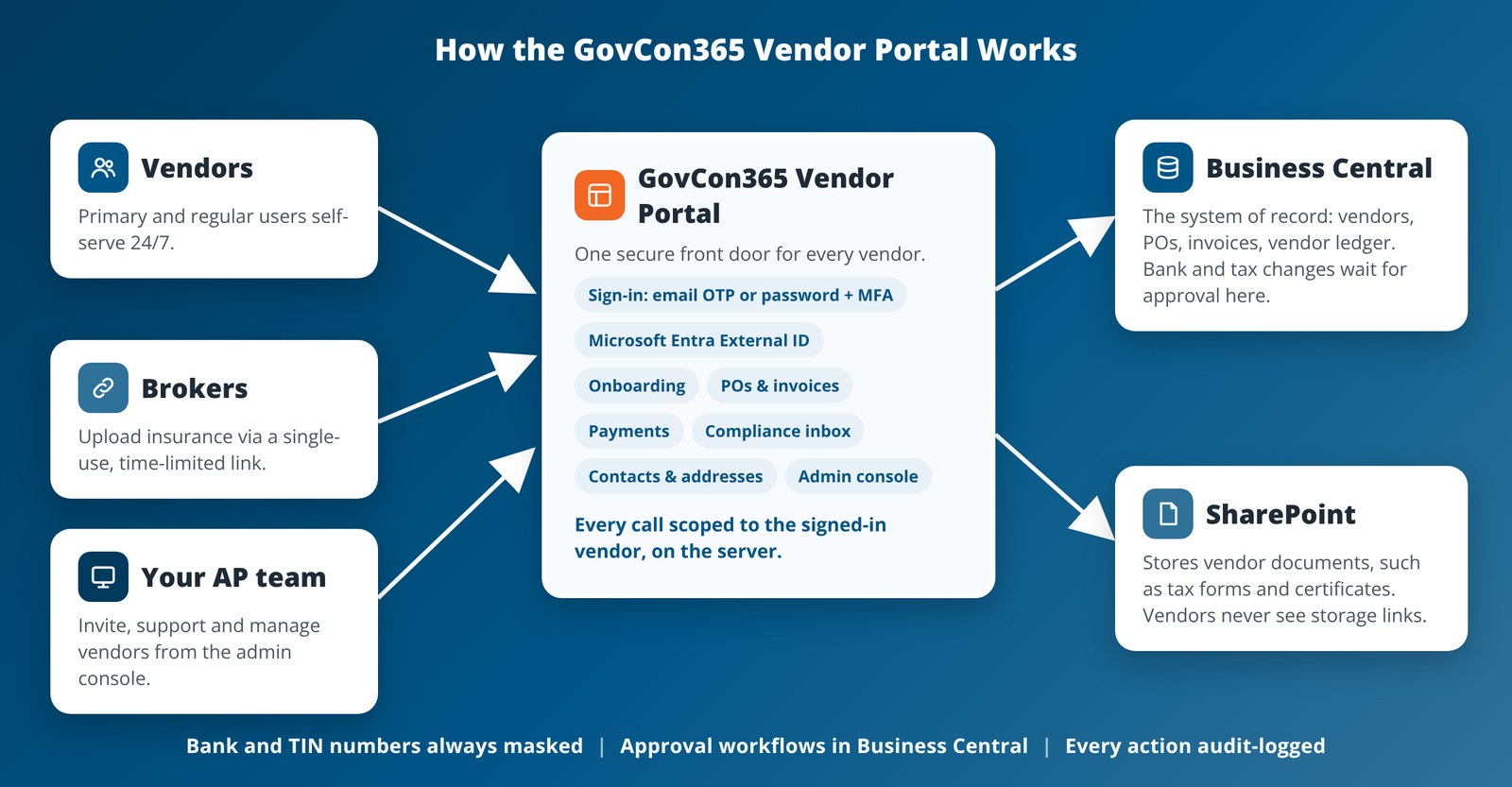
Your team invites vendors from the admin console. Vendors sign in the way you choose: a one-time passcode (OTP) sent to their email, or a password plus multi-factor authentication (MFA). Everything they see and change is read from and written to Business Central. Documents are stored in SharePoint. Sensitive changes wait for approval in Business Central.
Secure by Design. Built on Microsoft.
Take a Quick Tour
Follow a vendor from the home dashboard through invoices, invoice submission, and the identity check that protects bank details. Then see the vendor directory and activity log your team uses to manage it all.
If your vendors still email invoices and call for payment status, this is a simple place to start.
Vendor and Supplier Portal FAQs
What is the GovCon365 Vendor Portal?
It is a secure, self-service website for your vendors. It connects directly to Microsoft Dynamics 365 Business Central. Vendors use it to onboard, view purchase orders, submit invoices, track payments, and keep compliance documents current.
Is the GovCon365 Vendor Portal a supplier portal?
Yes. Some teams say vendor portal and others say supplier portal. They mean the same thing: one secure place where suppliers and subcontractors onboard, submit invoices, track payments, and keep compliance documents current, all connected to Business Central.
Does it replace Business Central?
No. Business Central stays your system of record. The portal reads from and writes to Business Central, so there is no separate vendor database to keep in sync.
How do vendors sign in?
You choose the sign-in mode. Vendors can use a one-time passcode (OTP) sent to their email, so there is no password to remember. Or they can use a password plus multi-factor authentication (MFA).
How are bank account changes handled?
Bank and tax form changes go through a Business Central approval workflow before they take effect. Bank account numbers and TINs are always masked.
Does it support SAM.gov and FAR requirements?
Yes. Onboarding includes a live SAM.gov lookup by UEI or CAGE code and FAR 52.219-1 small business classification.
Who is it for?
Government contractors that run GovCon365 on Business Central and want to cut vendor emails, calls, and manual invoice entry, with one portal for their vendors, suppliers, and subcontractors.
Still have questions about vendor or supplier portals?
Featured GovCon365 Vendor Portal Blogs
Why Government Contractors Are Outgrowing Email-Based Vendor Management
A vendor portal for government contractors replaces email, PDFs and phone calls in invoicing, bank changes and onboarding. See the five problems it fixes.

Stop Vendor Bank-Change Fraud Before It Hits Your AP Team
Vendor payment fraud prevention starts with one rule: no bank change by email. See how the scam works, five controls and a seven-question self-check.
A Practical Vendor Onboarding Checklist for Government Contractors
Vendor onboarding for government contractors takes more than a W-9. Use this seven-part checklist for tax, banking, insurance, SAM.gov and size status.
Vendor Portal Resources
Let’s Talk About Your Vendor Process
We’ll walk you through the portal and talk about how it fits your Business Central setup.