

GovCon365 ERP: Project Accounting Built for Government Contractors
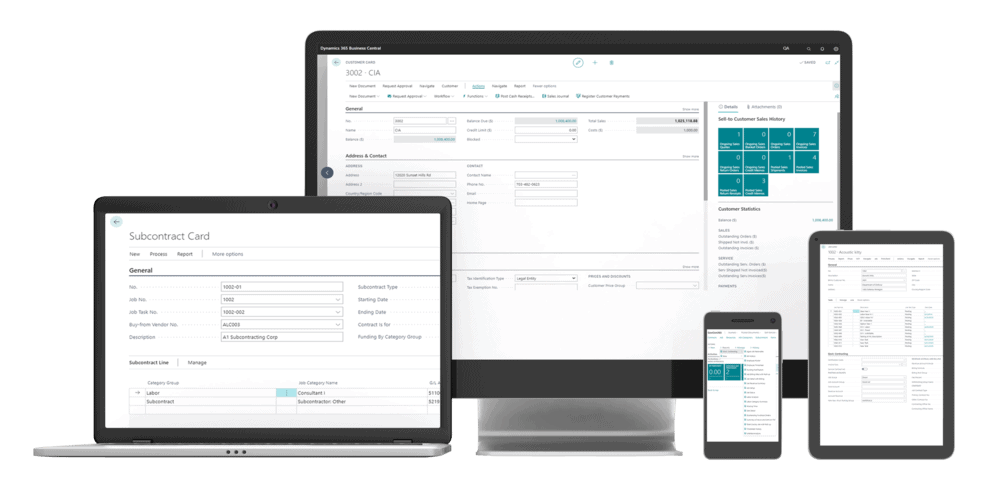
GovCon365 ERP extends Microsoft Dynamics 365 Business Central with project accounting, billing, and indirect rate tools government contractors need. It’s built to support DCAA compliance, from contract setup to the final invoice.
Why GovCon365 ERP
One System for Contracts, Costs and Compliance
Government contracts come with rules commercial accounting software was never built for. GovCon365 ERP adds them to Business Central, so finance and operations work in one system instead of a patchwork of spreadsheets.
It runs on the Microsoft tools your teams already use, from Outlook and Excel to Power BI and Copilot. We support early-stage contractors preparing for growth and enterprises with thousands of employees.
- 01
Set Up
Create the contract, its type and its billing rules: T&M, cost-type or fixed price.
- 02
Budget
Set budgets by contract and project, so you can see spend against plan.
- 03
Capture Costs
Record time, expenses and materials against the right contract, from desk or phone.
- 04
Bill
Generate accurate invoices in the format each contract calls for.
- 05
Analyze
Track profitability and indirect rates by contract in Power BI dashboards.
Three kinds of government contractor
Built for How You Serve the Government
GovCon365 ERP adds the features each kind of contractor needs on top of Business Central's core finance, distribution and manufacturing.
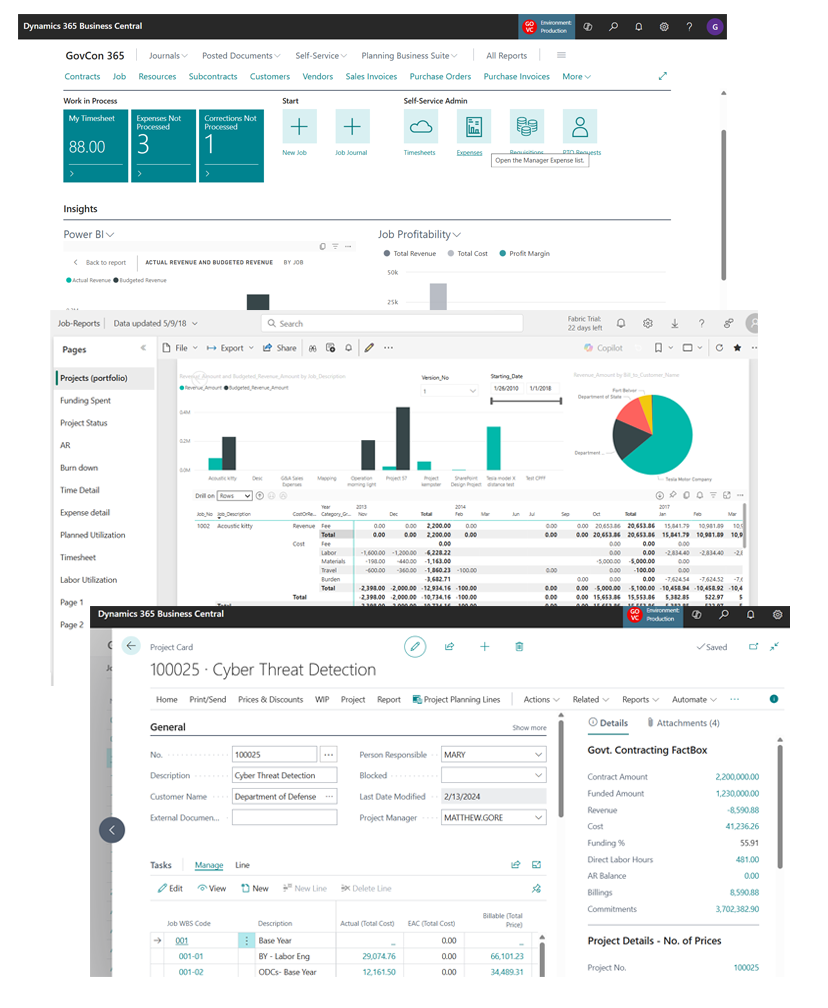
Professional Services
Manage the operational and financial sides of your contracts with flexible, complete project accounting.
- Contract setup, budgets and funding
- Time, expense and material cost capture
- Billing and analysis by contract
- Indirect rates and DCAA-ready reporting
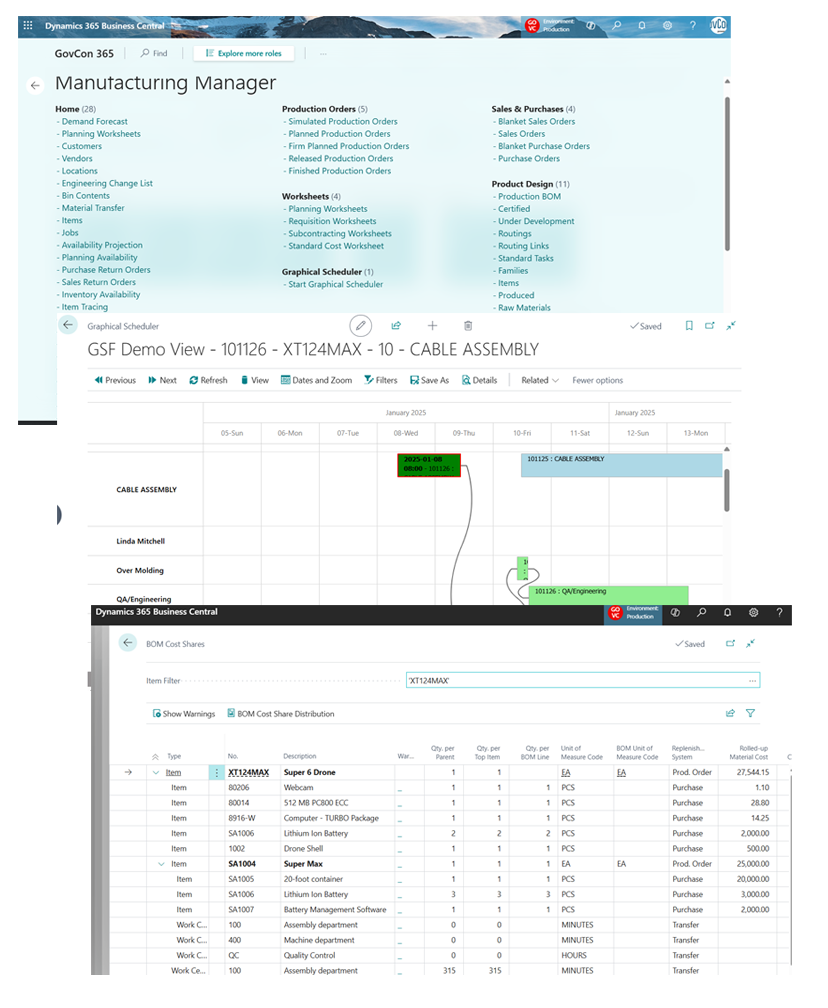
Contract Manufacturing
Build prototypes, retrofit commercial products or run longer production for the government, with Business Central manufacturing tied to project accounting.
- Manufacturing connected to project accounting
- Inventory control by project
- Billing at T&M, fixed unit price, milestone or cost-reimbursable
- Indirect rates and multiple ways to capture time
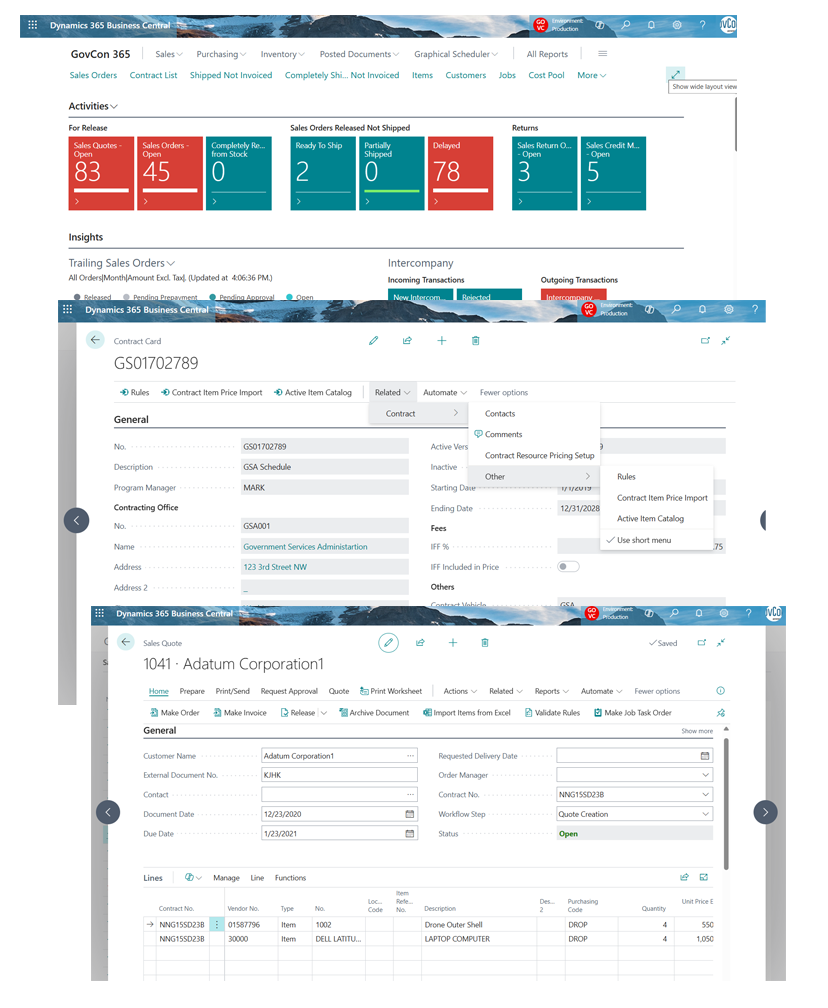
Value Added Resellers
Run quote-to-cash for drop-shipped products and the services you deliver with them, on fixed-price, T&M or cost-reimbursable terms.
- Contract item catalogs and pricing for GSA Schedule, SEWP, NITAAC and other GWACs
- Contract-specific rules to help you stay compliant
- Required invoice formats and contract fee tracking
- Multi-location shipping on one sales order
GovCon365 ERP core capabilities
Everything Finance Needs to Run a Government Contract
Designed for Microsoft Dynamics 365 Business Central, by people who know the audit side as well as the software.
Financial Management
Project accounting, payroll and the general ledger in one place, built to support DCAA compliance, with real-time insight into how each contract is doing.
Contract Types & Billing
Set up T&M, cost-type and fixed-price contracts with the billing rules each one needs. Billing follows the costs you capture, for accurate invoices and better cash flow.
Indirect Rates
Manage your indirect rates in Business Central and track them by contract, ready when DCAA asks.
Time & Expense Entry
Employees enter time and expense reports against the right contract, on the web or in the GovCon365 mobile app.
Purchase Order Control
Create purchase requisitions and orders, and track commitments against each project, so spending stays under control and compliant.
Contract Catalogs & Quote to Order
Keep a catalog of items and prices for each contract vehicle, and move from quote to order without retyping.
Reporting & Dashboards
See every project in real time with dashboards and reports, including Microsoft Power BI, for better decisions at month-end and beyond.
AI & Copilot
Microsoft Copilot brings AI-driven insights into your projects, to boost productivity and help you act on what the numbers say.
Workflow & Automation
Automate approvals and routine steps with Power Automate to cut errors, save time and keep processes consistent.
Built on Microsoft Dynamics 365 Business Central
Be Dynamic Anywhere, Anytime, on Any Device
Your Choice of Deployment
Run GovCon365 ERP on-premises, in Azure or in Azure GCC High.
The Whole Microsoft Stack
Power BI, Power Automate, Microsoft 365 and Copilot work with your contract data out of the box.
On Any Device
Work from a desk, a tablet or the GovCon365 mobile app, including time and expense entry.
Grows With You
From early-stage firms preparing for growth to enterprises with thousands of employees.
Snacktime Snippets
Watch GovCon365 ERP at Work
Bite-sized demos of real tasks in Business Central, each one a few minutes long.
Contracts & Billing
- Setting Up a T&M Contract
- Handling Cost-Type Contracts
- Generating an Invoice
- Managing Contract Catalogs
- Quote to Order Entry
Time & Expense
- Time Entry System
- Processing Expense Reports
- Mobile Time and Expense Entry
- GovCon365 Mobile App Features
Rates, Compliance & Reporting
- Managing Indirect Rates
- DCAA Compliance with GovCon365
- Power BI
- Core Interface and Integrations
Purchasing & Manufacturing
- Purchase Requisitions
- Managing Inventory
- Managing Bills of Material
- Project-Based Production Orders
The GovCon365 suite
Where GovCon365 ERP Fits in the Lifecycle
GovCon365 ERP is the foundation the rest of the suite builds on. Contracts, approved time and expenses, and vendor invoices all land in Business Central, where finance bills by contract type and tracks indirect rates.
- You are here
Finance
GovCon365 ERP
On Dynamics 365 Business Central
Project accounting, billing by contract type and indirect rates, built to support DCAA compliance.
Sales
GovCon365 AwardTrack
On Microsoft Dynamics 365
The CRM for government contractors. Track capture, task orders and contract vehicles, with feeds from GovWin, GovTribe and SAM.gov.
Explore AwardTrackAward and beyond
GovCon365 CLM
On Microsoft Dynamics 365
Available early 2027Contract lifecycle management. Keep every contract, mod, clause and subcontract on one record, from award to closeout.
Explore GovCon365 CLMDelivery
GovCon365 Project Operations
On Dynamics 365 Project Operations
Plan, staff and deliver the work. Time and expenses are captured against the right project and task.
Explore Project OperationsSuppliers
GovCon365 Vendor Portal
On Dynamics 365 Business Central
A secure portal where vendors onboard, invoice against your POs and track payments, with no second vendor database.
Explore Vendor Portal
Start with the solution you need most. Each one connects to the others as you add them, and they all run on the Microsoft tools your teams already use, from Outlook and Excel to Power BI and Copilot.
GovCon365 ERP demo
See GovCon365 ERP in Action
Bring a contract type and your month-end questions. We'll show you how GovCon365 ERP handles them in Business Central.